Missed appointments, long hold times, and manual follow-up can create daily pressure for medical practices. Front-desk teams often spend hours answering scheduling calls, calling patients to confirm visits, filling canceled appointment slots, and updating calendars across different systems.
Patients also expect more convenience. Many want to book an appointment online, receive a text reminder, complete forms before arriving, and quickly reschedule if their plans change. When the process is difficult, patients may delay care or choose another provider.
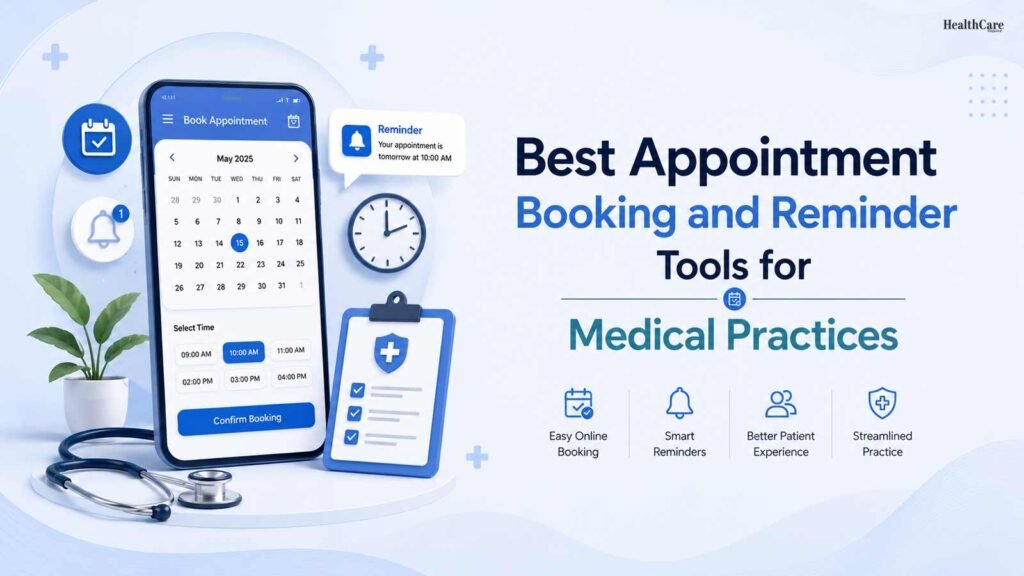
Appointment booking and reminder tools can help practices create a smoother experience for both patients and staff. The right platform can reduce manual work, improve communication, and make scheduling more organized.
However, there is no single best platform for every medical practice. A small primary care office may need a simple solution that works with its existing electronic health record system. A large multi-location group may need advanced scheduling rules, centralized communication, waitlist automation, analytics, and stronger integration options.
This guide explains what medical practices should look for and highlights well-known appointment booking and reminder tools used in the United States.
Why Appointment Booking and Reminders Matter
An appointment is more than a time on a calendar. It is the beginning of a patient’s care journey.
If booking requires several calls during business hours, patients may postpone scheduling. If reminders are unclear or sent too late, they may forget the visit. If rescheduling is difficult, an unused appointment slot may remain open while another patient waits for care.
A good scheduling process helps practices:
- Make it easier for patients to book care
- Reduce calls and repetitive administrative work
- Send timely reminders by text, email, or phone
- Allow patients to confirm, cancel, or reschedule more easily
- Fill canceled appointments through waitlists
- Improve patient satisfaction and access
- Keep schedules accurate across locations and providers
Reminder systems should be used thoughtfully. Patients should receive messages that are clear, relevant, and easy to understand. A reminder should include the appointment date, time, location, and contact details. It can also include any preparation instructions.
Medical practices also need to protect patient information. The U.S. Department of Health and Human Services states that the HIPAA Privacy Rule sets national standards for protecting individually identifiable health information. Before selecting a vendor, practices should confirm how the platform protects data and whether it will sign a Business Associate Agreement when required.
Features to Look For Before Choosing a Tool
The best platform depends on the practice’s current systems, patient population, specialty, and workflow. Before comparing vendors, it helps to identify the features that matter most.
Online Self-Scheduling
Online booking lets patients request or select an appointment without calling the office. This can be especially useful outside normal business hours.
The system should show only appropriate appointment options. For example, a new patient visit may require more time than a follow-up appointment. A dermatology practice may need different scheduling rules from a behavioral health clinic or family medicine office.
A strong tool should allow the practice to control appointment types, visit lengths, provider availability, locations, and booking rules.
Automated Reminders
Text-message reminders are widely used because they are quick and convenient for many patients. Email and voice reminders can also be helpful, depending on patient preferences.
The best reminder tools allow practices to choose when messages are sent and what they include. Some practices may send one reminder several days before a visit and another reminder closer to the appointment time.
Patients should be able to confirm or request a change without a complicated process.
Two-Way Messaging
Two-way messaging allows patients to reply with questions or concerns. This can reduce unnecessary phone calls and help staff respond faster.
The practice should create clear internal procedures for monitoring messages. Patients need to know that text messaging is not for urgent medical concerns or emergencies.
Waitlists and Cancellation Management
When a patient cancels, the platform may help identify another patient who wants an earlier appointment. This can improve access to care while helping practices avoid unused slots.
For busy specialty practices, an automated waitlist can be particularly useful. Patients can receive an alert when an earlier time becomes available and choose whether to accept it.
EHR or Practice Management Integration
Integration is one of the most important factors. A booking tool should work reliably with the practice’s electronic health record, practice management software, or calendar system.
Without integration, staff may need to enter information twice or manage separate schedules. This can create confusion, double-booking, and administrative work.
Ask vendors exactly which systems they integrate with and whether the integration is real-time. A practice should also understand what information moves between systems, such as appointment details, patient demographics, forms, insurance information, and reminders.
1. athenaOne
athenaOne is a cloud-based healthcare platform that includes practice management, electronic health record, billing, patient engagement, and scheduling capabilities. It may be a practical choice for medical practices that want scheduling and reminder tools within a broader healthcare operations system.
Its patient-facing tools are designed to support tasks such as online scheduling, appointment communication, and digital patient engagement. athenaOne combines appointment scheduling, patient records, billing, and other daily tasks in a system.
This option may be worth considering for:
- Primary care and specialty practices using athenahealth
- Growing practices that need a broader practice-management system
- Organizations that want scheduling connected to patient records and workflows
Before choosing it, practices should ask about implementation time, the specific scheduling features available for their specialty, integration needs, and total costs.
2. NexHealth
NexHealth is known for patient experience tools that support online booking, appointment reminders, digital forms, payments, and patient communication. Its online scheduling features are designed to help patients book visits through a practice website or other digital channels.
NexHealth may be useful for practices that want to reduce booking friction and offer a modern digital experience. It is commonly associated with healthcare practices that want patients to complete more of the appointment process online.
This option may be worth considering for:
- Practices focused on online patient acquisition
- Offices that want website-based booking options
- Teams looking to combine scheduling, forms, and patient communications
Check that the platform works with the software already used by the medical practice. Scheduling integration is not a minor detail; it affects whether staff can trust the calendar and avoid duplicate work.
3. Luma Health
Luma Health provides patient engagement tools for healthcare organizations. Its services include appointment scheduling, reminders, patient messaging, waitlist support, and communication workflows.
The platform may be a strong fit for larger medical groups, health systems, and multi-location organizations that need to manage patient access at scale. Rather than focusing only on an individual appointment, it can support communication throughout the patient journey.
For example, a practice may use a platform like Luma Health to send appointment reminders, provide preparation instructions, offer a rescheduling option, and follow up after a visit.
This option may be worth considering for:
- Multi-location practices
- Specialty groups with complex scheduling workflows
- Organizations that want centralized patient communication
- Health systems focused on access and patient engagement
Practices should ask how the platform handles different communication preferences, language needs, message approvals, and patient responses.
4. Solutionreach
Solutionreach offers patient communication tools for medical, dental, vision, and other healthcare practices. Its features include appointment reminders, two-way texting, online scheduling, patient recall, digital forms, surveys, and communication tools.
For smaller or mid-sized practices, a communication-focused solution can be easier to adopt than a full enterprise platform. It may be helpful for teams that already have an EHR or practice management system but need stronger patient reminder and outreach capabilities.
This option may be worth considering for:
- Independent medical practices
- Specialty clinics
- Offices looking to automate reminders and recall messages
- Teams that want to reduce phone-based follow-up
The practice should review how the tool integrates with its existing scheduling system and how staff members will handle text replies, cancellations, and reschedule requests.
5. Klara
Klara is a patient communication platform that supports secure messaging, appointment reminders, patient intake, scheduling workflows, and other administrative communication.
Klara allows staff to manage patient messages in one place. This can reduce the need to use separate phones, emails, or voicemails.
This can be useful when a practice receives frequent questions about appointment times, forms, insurance information, referrals, or preparation instructions.
This option may be worth considering for:
- Practices that receive a high volume of patient calls and messages
- Offices that want a central communication inbox
- Teams looking to improve text-based patient engagement
- Specialty practices with frequent pre-visit instructions
As with any patient messaging platform, the practice should establish response-time expectations and clear escalation procedures.
6. SimplePractice
SimplePractice is a practice management platform widely used by many behavioral health, wellness, and solo healthcare professionals. It includes online booking, appointment reminders, calendar management, telehealth options, patient forms, billing tools, and a client portal.
For smaller practices, especially those with a limited administrative team, an all-in-one system can simplify daily operations. It may suit providers who want to manage appointments, reminders, patient records, forms, payments, and virtual consultations in one place.
This option may be worth considering for:
- Solo practitioners
- Behavioral health professionals
- Small therapy or wellness practices
- Providers who need a simple practice-management system
Healthcare organizations with complex hospital-level scheduling needs may require a more advanced solution. Still, for small practices, ease of use can be just as important as the number of features.
How to Choose the Right Tool
Selecting an appointment booking and reminder tool should begin with a workflow review. A practice should review each step of its current appointment process. This includes booking, confirmation, rescheduling, and follow-up.
Ask these questions before signing a contract:
- Does the tool integrate with our EHR or practice management system?
- Can patients book, confirm, cancel, or reschedule?
- Does it support text, email, and phone reminders?
- Can we control timing and wording?
- Does it work for our specialty and appointment types?
- Can it support multiple providers and locations?
- Is staff training included?
- Can the vendor provide a Business Associate Agreement if needed?
- How are patient messages monitored and assigned?
- What happens if the system is unavailable?
- Are there setup fees, contract commitments, or additional charges?
It is also helpful to involve front-desk staff, practice managers, clinicians, IT teams, and compliance leaders in the selection process. Staff members who use the platform every day can identify practical issues that may not be visible during a sales demonstration.
Implementation Matters as Much as the Platform
A practice can invest in a good tool and still see poor results if the rollout is rushed. Staff should be trained on how to manage appointments, respond to messages, update schedules, and handle cancellations.
Patient communication templates should be reviewed before launch. Keep reminder messages short, clear, and respectful. Avoid including unnecessary medical details in text messages. Give patients an easy way to call the office if they need help.
It is also useful to monitor key results after implementation, including appointment confirmation rates, cancellation patterns, no-show rates, call volume, and patient feedback.
The goal should not be to send more messages. It should be to make scheduling easier and communication more useful.
Final Thoughts
The best appointment booking and reminder tool is the one that fits a practice’s real workflow, technology systems, patient needs, and budget.
Platforms such as athenaOne, NexHealth, Luma Health, Solutionreach, Klara, and SimplePractice offer different strengths. Some are designed for large health systems, while others are better suited to independent practices or small specialty clinics.
A well-chosen platform can help patients access care more easily, give staff more time for meaningful work, and keep schedules running more smoothly. The key is to choose technology that supports the human side of healthcare rather than adding more complexity.